GCP vs AWS: Infrastructure Architecture Comparison for Platform Teams
The Same Building Blocks, Different Philosophies
GCP and AWS both offer roughly the same set of primitives: VMs, object storage, managed Kubernetes, managed databases, IAM, and a long tail of higher-level services. What differs is the philosophy: AWS prefers many small, composable services with strong service boundaries; GCP prefers fewer, more opinionated services with deeper integration. The AWS documentation and Google Cloud documentation both provide comprehensive service references.
Neither is universally better. Teams that want fine-grained control and don’t mind operating more pieces favor AWS. Teams that want managed services that ‘just work’ favor GCP. The choice usually comes down to existing skills and existing footprint.
Networking
AWS networking is account-and-region-scoped. VPCs live inside one region of one account. Cross-account and cross-region connectivity require explicit peering, Transit Gateway, or PrivateLink — each with its own pricing.
GCP networking is global by default. A VPC spans all regions automatically; subnets are regional but live inside the same VPC. Cross-region traffic doesn’t require peering. This is the single biggest practical difference for teams operating in multiple regions.
Compute and Kubernetes
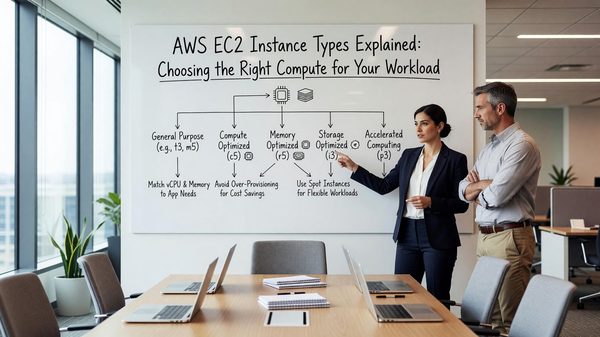
EC2 and Compute Engine are roughly equivalent. Both have spot/preemptible variants, both offer custom machine types, both support GPU and TPU/specialized accelerators. AWS has more instance types; GCP has cleaner pricing on custom shapes.
EKS and GKE diverge more. GKE has historically led on Kubernetes features — Autopilot mode, vertical pod autoscaler, Anthos integrations — and on operational maturity. EKS has caught up significantly with EKS Auto Mode but still requires more glue. The Kubernetes official docs are the canonical reference for what both managed services expose.
IAM
AWS IAM is policy-based: principals, resources, and policy documents written in JSON. The model is powerful but complex. Policy evaluation rules are subtle and easy to misconfigure.
GCP IAM is role-based: principals get roles on resources, and roles are bundles of permissions. The model is simpler to reason about but less flexible for unusual access patterns.
Managed Services and Lock-In
AWS has the broadest set of managed services. RDS, DynamoDB, Lambda, SQS, SNS, Step Functions, and EventBridge form a dense ecosystem of integrated primitives.
GCP’s standout managed services are BigQuery, Pub/Sub, Spanner, and Cloud Run. BigQuery in particular has no direct AWS equivalent for analytical workloads at scale.
Lock-in is real on both. The question is which lock-in is cheaper to escape — usually whichever your team has the most experience with.
Related Reading
- See our deeper guide at /cloud/multi-region-deployment-strategies/.
Pricing Models and Discounting
Both providers have moved toward consumption-based pricing for managed services, but the discount mechanisms differ significantly. AWS Compute Savings Plans give 30-50% off compute in exchange for a one- or three-year dollar-per-hour commitment. GCP Committed Use Discounts (CUDs) commit to vCPU and memory rather than dollar amounts.
Sustained Use Discounts (SUDs) on GCP apply automatically for steady workloads — no commitment required. AWS has no equivalent. For workloads that run continuously at predictable scale, GCP’s combination of SUDs and CUDs often comes out cheaper. For variable workloads with strong commitment discipline, AWS Savings Plans match or beat.
Support and Service Maturity
AWS’s broader market share means more third-party tooling, more StackOverflow answers, and more engineers who know AWS by default. For hiring, AWS skills are easier to find.
GCP’s smaller scale shows up differently: more direct support from Google engineers for paying customers, fewer service boundaries to navigate, and a tendency for GCP services to integrate more deeply with each other. The platforms have different operational textures even where the features overlap.
Identity and Organization Models
AWS organizes around accounts. The modern best practice is many small accounts (one per environment per application), tied together via AWS Organizations and managed centrally. SCPs enforce org-wide guardrails. Identity Center federates user access across accounts.
GCP organizes around projects within an organization. Projects are lighter-weight than AWS accounts — easier to create, easier to delete. Org-level policies and folders provide the hierarchy. The default unit of isolation is smaller than AWS’s, which suits some workloads better and others worse.
Neither model is universally right. AWS’s account-based isolation gives stronger blast radius separation; GCP’s project model has lower per-environment overhead.
Operational Tooling Differences
CloudWatch, CloudTrail, and Config make up AWS’s observability and audit layer. They work, they’re broad, and they require active management to be useful — defaults are often less helpful than they could be.
Cloud Operations Suite (formerly Stackdriver) is GCP’s equivalent. It’s tighter and more cohesive than the AWS equivalents but with less feature breadth. For organizations primarily on GCP, it covers most needs without third-party add-ons.
Both clouds increasingly integrate with third-party observability (Datadog, New Relic, Grafana). For multi-cloud setups, third-party tooling avoids cloud-specific lock-in.
Hybrid and Multi-Cloud Considerations
Few large organizations are purely single-cloud. Acquisitions, regulatory requirements, and specific service preferences all push toward multi-cloud reality. The challenge is operating consistently across the resulting environment.
Tools that help: Crossplane for multi-cloud infrastructure provisioning, Terraform for multi-provider IaC, Kubernetes as a consistent application platform across clouds. Each abstracts away some cloud-specific details at the cost of giving up some cloud-specific capabilities.
The pragmatic path is usually ‘primary cloud plus secondary’ — most workloads on one cloud with specific workloads or backup capacity on another. Pure multi-cloud parity is rarely worth the operational cost.
Tagging and Resource Governance
At any meaningful scale, cloud resource governance requires consistent tagging. Tags by team, environment, project, cost center, and compliance category enable cost attribution, security scoping, and operational filtering.
Enforcement is the hard part. IAM policies can deny resource creation without required tags. Cloud Custodian and similar policy engines can scan for non-compliant resources and remediate.
Without enforcement, tags drift. Engineers create resources for quick experiments and forget to tag. Within a quarter, untagged resources outnumber tagged ones. Build the enforcement early; retrofit is painful.
Documentation and Knowledge Management
Cloud infrastructure changes constantly. Documentation that captures architecture decisions, runbooks for common operations, and explanations of non-obvious choices preserves institutional knowledge through team turnover.
Architecture Decision Records (ADRs) are a lightweight pattern: a short document per significant decision capturing context, options considered, decision, and consequences. ADRs accumulate into a chronicle of why the architecture looks the way it does.
Living documentation beats one-time writeups. Tie documentation to code where possible — README files in repos, comments in Terraform, generated diagrams from infrastructure tools. Documentation that lives near the code it documents stays current.
Compliance and Audit Considerations
Cloud workloads often fall under compliance frameworks: SOC 2, ISO 27001, HIPAA, PCI DSS, FedRAMP. Each has specific control requirements affecting how you architect, configure, and operate.
Common cross-framework requirements: encryption at rest and in transit, access logging and review, incident response procedures, change management, vulnerability management. Building these in from the start is dramatically cheaper than retrofitting under audit pressure.
Tools that help: AWS Config and Audit Manager, GCP Security Command Center, Azure Policy. Each provides continuous compliance monitoring against defined rules. The configuration is upfront work; ongoing compliance becomes monitoring rather than periodic discovery.
Looking Ahead
Cloud infrastructure continues to evolve rapidly. The shifts most relevant to platform teams today: continued moves toward serverless and managed services that reduce operational overhead, growing importance of cost optimization as cloud spend matures into a major budget line, and the increasing role of compliance and data sovereignty in architecture decisions.
Teams that invest in transferable skills — Linux fundamentals, networking, distributed systems, observability — adapt to specific cloud changes more easily than teams that invest narrowly in vendor-specific certifications. The vendor-specific knowledge matters, but it’s a layer on top of broader engineering capability.
The cost of building infrastructure has dropped dramatically in two decades; the cost of operating it well has not. The teams that thrive long-term combine cloud-native tooling with the operational discipline that makes any infrastructure reliable.
Practical takeaway: don’t chase every new cloud service. Identify the gaps in your current architecture, evaluate options carefully against your requirements, and move deliberately. The pace of cloud announcements far exceeds the pace at which most organizations should adopt new technologies.
Frequently Asked Questions
Which is cheaper?
Highly workload-dependent. AWS tends to be cheaper for steady compute with Savings Plans; GCP tends to be cheaper for spiky workloads and custom shapes.
Which has better Kubernetes?
GKE is more mature and easier to operate. EKS has narrowed the gap significantly.
Can I run multi-cloud?
Yes, but the operational cost is real. Most teams that try end up effectively single-cloud with a small footprint elsewhere.
What about Azure?
Azure is a viable third option, particularly for Microsoft-heavy organizations. The operational patterns are closer to AWS than to GCP.