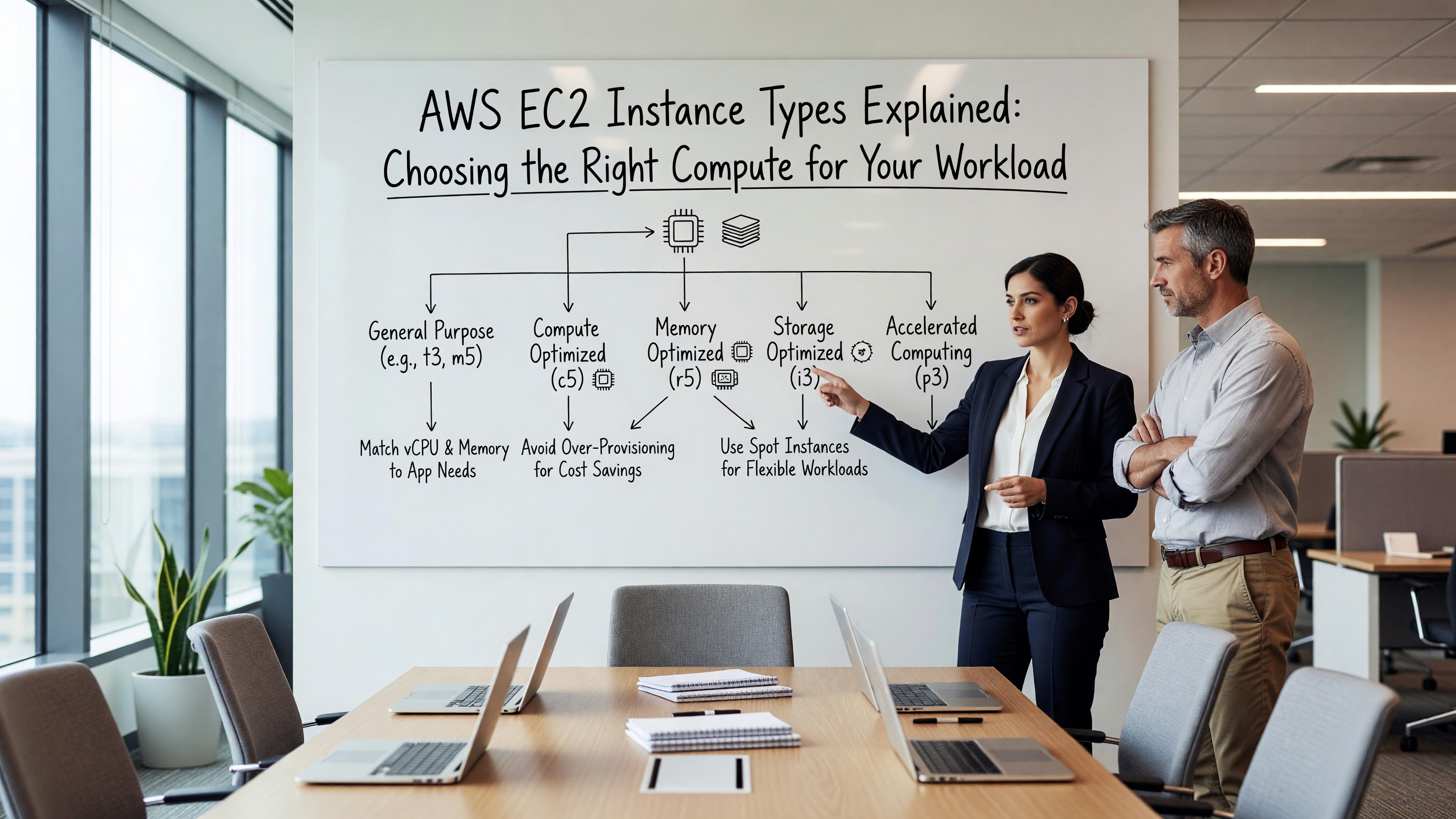
AWS EC2 Instance Types Explained: Choosing the Right Compute for Your Workload
The EC2 Instance Family Landscape
Amazon EC2 currently offers more than 750 instance types across roughly a dozen families. The naming convention is dense — a name like m6i.2xlarge encodes the family (m), generation (6), variant (i, for Intel), and size (2xlarge). Understanding that pattern is the first step toward making sensible choices.
The families fall into five broad categories: general purpose (M, T, A), compute optimized (C), memory optimized (R, X, U, z), storage optimized (I, D, H), and accelerated computing (P, G, F, Inf, Trn). Each family targets a specific compute-to-memory ratio and a specific class of workload. The AWS EC2 instance types documentation provides the full breakdown. The mistake most teams make early is treating EC2 like a single pool and defaulting to whatever m-series instance the first engineer picked two years ago.
General Purpose: The Default That’s Usually Wrong
M-series instances offer a balanced 1:4 vCPU-to-memory ratio (in GiB). They’re the safest default and the most expensive way to run a workload that doesn’t actually need balance. Web servers, small application tiers, and CI runners are reasonable fits. Anything CPU-bound is wasting memory you’re paying for; anything memory-bound is throttling on CPU you don’t need.
T-series instances are burstable — they accumulate CPU credits when idle and spend them during spikes. They’re excellent for low-utilization workloads (dev environments, internal tools, low-traffic APIs) and a disaster for anything sustained. If your application runs at 40% CPU continuously, a t3.large will quietly degrade once credits run out. Unlimited mode papers over the cliff but adds cost surprises.
Compute, Memory, and Storage Optimization
C-series instances drop the vCPU-to-memory ratio to roughly 1:2. They’re the right choice for CPU-bound work: video encoding, scientific simulation, ad-bidding services, game servers, and front-end web tiers under heavy load. The c7g (Graviton) variants are 20–40% cheaper than equivalent x86 instances for most workloads that compile cleanly on ARM.
R-series flips the ratio to 1:8, and X-series goes further to 1:16 or 1:32. Databases, in-memory caches, and large JVM applications often map cleanly to these. Spend a week profiling before committing — many teams running on r-series could be on m-series with proper heap tuning.
Storage-optimized I and D series come with local NVMe. They’re only useful when your workload actually benefits from local SSD — Cassandra, Elasticsearch hot tiers, transactional databases that don’t fit in memory. The local storage is ephemeral, which surprises teams who forget that instance stop or replacement loses data.
Graviton and the ARM Question
AWS’s Graviton processors (the ‘g’ suffix: c7g, m7g, r7g) deliver meaningful price-performance gains. Most language runtimes — Go, Java, Python, Node.js, Rust — work without code changes. The friction is usually in transitive dependencies: a single x86-only native library can block a migration.
The right approach is to test the entire dependency tree on ARM in a parallel environment before committing. For greenfield services, defaulting to Graviton is increasingly the obvious choice.
Spot, Savings Plans, and Right-Sizing
On-demand pricing is the worst way to run EC2 at scale. Compute Savings Plans give 30–50% off in exchange for a one- or three-year commitment to a dollar-per-hour spend, and they’re flexible across regions and instance families. Reserved Instances are largely obsolete; Savings Plans cover the same use cases with less lock-in.
Spot Instances run at 60–90% off on-demand pricing in exchange for the possibility of two-minute eviction notices. Stateless workloads — batch jobs, CI runners, fault-tolerant data pipelines, even some Kubernetes workloads with proper PDBs — should be running on spot.
Related Reading
- See our deeper guide at /cloud/cloud-cost-optimization-strategies/.
Real-World Migration Patterns
The most common right-sizing migration we see at scale follows a pattern: an organization starts on m5.xlarge across the board because that was the team default in 2019, profiles workloads two years later, and discovers maybe 60% of fleet would benefit from moving. About a third go down to m6i.large or m6g.large (Graviton). A quarter move to c-series because they’re actually CPU-bound. A handful jump up to r-series because they were silently swapping.
The migration playbook that works: deploy to a parallel ASG of the new instance type, shift 5% of traffic, watch latency and error rate for a week, then full cutover. Skipping the parallel period is where these migrations go wrong — instance differences (cache size, network performance, EBS bandwidth) sometimes surface only under specific load patterns.
Placement Groups and Networking Considerations
Instance type interacts with networking in ways that don’t show up until you scale. Network bandwidth scales with instance size on most families — a m6i.large gets up to 12.5 Gbps burst, a m6i.4xlarge gets sustained 12.5 Gbps, a m6i.16xlarge gets 25 Gbps. Workloads that move significant data internally (replication, large database reads, stream processing) can be throttled on smaller instances regardless of CPU utilization.
Cluster placement groups put instances on physically close hardware for low latency between them. Useful for HPC, distributed databases, and high-throughput inter-node communication. Partition placement groups spread instances across fault-isolated hardware — better for HA, worse for inter-node latency. Spread placement groups put each instance on different underlying hardware, maxing out at seven per AZ. Most workloads don’t need any of these, but knowing they exist matters when you do.
Workload Profiling in Practice
Profiling sounds like overhead until you’ve done it once and watched the EC2 bill drop. The minimum profiling kit is AWS CloudWatch metrics over a two-week window covering both normal traffic and traffic peaks. Pull CPUUtilization at one-minute resolution, NetworkIn and NetworkOut for bandwidth headroom, EBSReadOps and EBSWriteOps if storage matters, and credit balance for T-series.
What to look for: average CPU above 50% means the instance is working hard but probably not throttling; consistent peaks above 80% mean you’re running close to the edge and small traffic increases will hurt. Memory utilization is harder to get from CloudWatch without the agent installed — install it if you’re sizing memory-bound workloads.
The output of profiling is a recommendation, not a decision. The recommendation goes into a review with the application owner who knows about upcoming traffic changes, dependency upgrades, and seasonal patterns. Skip that conversation and you’ll right-size into an outage.
Newer Generations Are Usually Worth It
AWS releases new instance generations roughly every 18-24 months. The new generations are nearly always faster, cheaper, or both. m7i replaces m6i; m8g replaces m7g. The pricing usually delivers 5-15% improvement at the same listed price, sometimes more on Graviton.
The cost of upgrading is testing — running the workload on the new instance type long enough to validate behavior. The work is small relative to the savings. Most teams that haven’t migrated to current-generation instances are leaving money on the table for no good reason.
One genuine caveat: instance generation availability varies by region. The newest types land in us-east-1, us-west-2, and a handful of other major regions first, with smaller regions catching up over months. If you operate in less-popular regions, the migration window stretches.
Hybrid and Multi-Cloud Considerations
Few large organizations are purely single-cloud. Acquisitions, regulatory requirements, and specific service preferences all push toward multi-cloud reality. The challenge is operating consistently across the resulting environment.
Tools that help: Crossplane for multi-cloud infrastructure provisioning, Terraform for multi-provider IaC, Kubernetes as a consistent application platform across clouds. Each abstracts away some cloud-specific details at the cost of giving up some cloud-specific capabilities.
The pragmatic path is usually ‘primary cloud plus secondary’ — most workloads on one cloud with specific workloads or backup capacity on another. Pure multi-cloud parity is rarely worth the operational cost.
Tagging and Resource Governance
At any meaningful scale, cloud resource governance requires consistent tagging. Tags by team, environment, project, cost center, and compliance category enable cost attribution, security scoping, and operational filtering.
Enforcement is the hard part. IAM policies can deny resource creation without required tags. Cloud Custodian and similar policy engines can scan for non-compliant resources and remediate.
Without enforcement, tags drift. Engineers create resources for quick experiments and forget to tag. Within a quarter, untagged resources outnumber tagged ones. Build the enforcement early; retrofit is painful.
Documentation and Knowledge Management
Cloud infrastructure changes constantly. Documentation that captures architecture decisions, runbooks for common operations, and explanations of non-obvious choices preserves institutional knowledge through team turnover.
Architecture Decision Records (ADRs) are a lightweight pattern: a short document per significant decision capturing context, options considered, decision, and consequences. ADRs accumulate into a chronicle of why the architecture looks the way it does.
Living documentation beats one-time writeups. Tie documentation to code where possible — README files in repos, comments in Terraform, generated diagrams from infrastructure tools. Documentation that lives near the code it documents stays current.
Compliance and Audit Considerations
Cloud workloads often fall under compliance frameworks: SOC 2, ISO 27001, HIPAA, PCI DSS, FedRAMP. Each has specific control requirements affecting how you architect, configure, and operate.
Common cross-framework requirements: encryption at rest and in transit, access logging and review, incident response procedures, change management, vulnerability management. Building these in from the start is dramatically cheaper than retrofitting under audit pressure.
Tools that help: AWS Config and Audit Manager, GCP Security Command Center, Azure Policy. Each provides continuous compliance monitoring against defined rules. The configuration is upfront work; ongoing compliance becomes monitoring rather than periodic discovery.
Looking Ahead
Cloud infrastructure continues to evolve rapidly. The shifts most relevant to platform teams today: continued moves toward serverless and managed services that reduce operational overhead, growing importance of cost optimization as cloud spend matures into a major budget line, and the increasing role of compliance and data sovereignty in architecture decisions.
Teams that invest in transferable skills — Linux fundamentals, networking, distributed systems, observability — adapt to specific cloud changes more easily than teams that invest narrowly in vendor-specific certifications. The vendor-specific knowledge matters, but it’s a layer on top of broader engineering capability.
The cost of building infrastructure has dropped dramatically in two decades; the cost of operating it well has not. The teams that thrive long-term combine cloud-native tooling with the operational discipline that makes any infrastructure reliable.
Practical takeaway: don’t chase every new cloud service. Identify the gaps in your current architecture, evaluate options carefully against your requirements, and move deliberately. The pace of cloud announcements far exceeds the pace at which most organizations should adopt new technologies.
Frequently Asked Questions
How do I pick an instance type for a new workload?
Start with profiling the workload on whatever instance you have. Measure CPU utilization, memory headroom, and I/O patterns over a representative period. Match the resulting ratio to a family — balanced to M, CPU-heavy to C, memory-heavy to R — then size down until you hit acceptable headroom.
Are Graviton instances always cheaper?
Per hour, yes — typically 10–20% less than equivalent Intel instances. Effective price-performance is usually 20–40% better. The exception is workloads with x86-only dependencies.
When should I use T-series instead of M-series?
When average CPU utilization is below 20% and bursts are brief. Anything running steadily above 30% CPU should move to M or C.
How much can I really save with Spot?
For genuinely interruption-tolerant workloads, 60–80% versus on-demand is realistic. The cost is engineering work: handling SIGTERM gracefully and using capacity-optimized allocation strategies.