Local Kubernetes Development Tools Compared: minikube, kind, k3d, and Rancher Desktop
Every Kubernetes developer eventually picks a local cluster tool and lives with it. The choice shapes your inner-loop speed, the kinds of bugs you can reproduce, and how well your laptop survives a long workday.
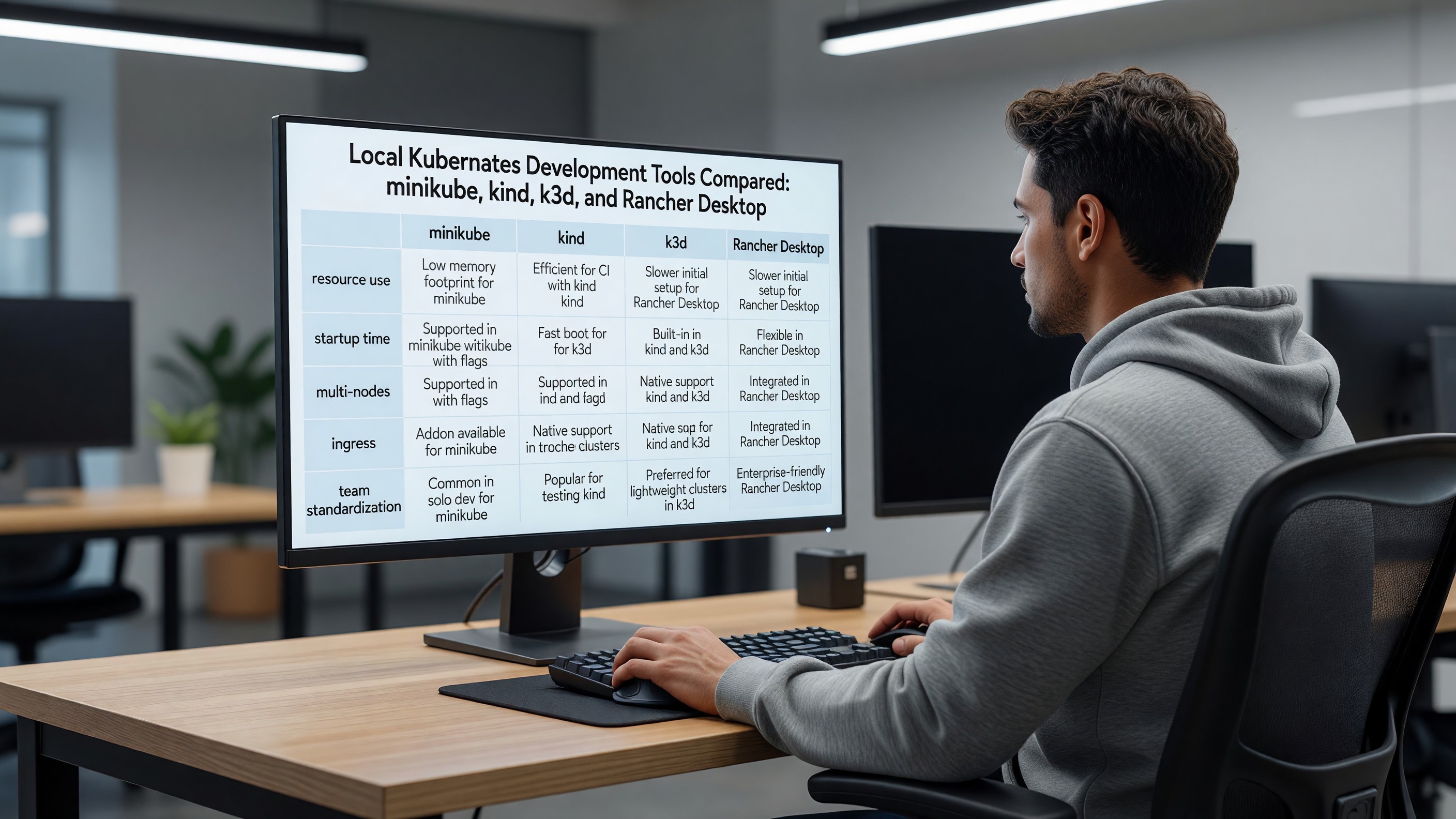
Four tools dominate in 2026: minikube, kind, k3d, and Rancher Desktop. They overlap but differ meaningfully on resource use, startup speed, multi-node simulation, ingress, and how well they fit team-wide standardization.
This is a practical comparison based on running each of them daily for the workloads platform teams actually develop.
The Tools at a Glance
- minikube — the original. Maintained by the Kubernetes project itself. Supports many drivers (Docker, Hyperkit, KVM, Hyper-V, VirtualBox, Podman) and runs a real Kubernetes distribution.
- kind (Kubernetes IN Docker) — also a Kubernetes-project tool. Runs Kubernetes nodes as Docker containers. Originally built for testing Kubernetes itself, now a popular dev tool.
- k3d — a wrapper around k3s (Rancher/SUSE’s lightweight Kubernetes) that runs k3s nodes as Docker containers. Smaller footprint, faster.
- Rancher Desktop — a full desktop app from SUSE that bundles a Kubernetes distribution (k3s by default), a container runtime (containerd or dockerd), and a UI. Closest in feel to Docker Desktop.
All four run on macOS, Linux, and Windows. All four are open source. None of them are wrong choices; they are optimized for different workflows.
Resource Requirements
This matters most if you are running multiple tools (databases, observability, your application) alongside Kubernetes on a 16 GB laptop.
Rough baseline footprints with a single-node cluster idle, nothing scheduled beyond system components:
- k3d — ~400–600 MB RAM, sub-100m CPU steady state. The lightest by a clear margin.
- kind — ~700 MB to 1 GB RAM per node, low CPU.
- Rancher Desktop — ~1–1.5 GB RAM including its VM and UI overhead.
- minikube — ~1.5–2 GB RAM with the Docker driver, more with VM drivers.
If you are on a 16 GB MacBook running an IDE, a browser, and a couple of containers, the gap between k3d and minikube is the difference between “comfortable” and “fan running constantly.”
Startup Speed
Inner-loop speed matters. Tearing down and rebuilding a cluster is something developers do often.
- k3d create cluster — typically 10–20 seconds.
- kind create cluster — typically 25–45 seconds.
- minikube start — typically 45–90 seconds with the Docker driver, longer with VM drivers.
- Rancher Desktop — slower first start (the VM has to come up), but cluster restarts are competitive with k3d once running.
For workflows that involve frequent cluster recreation — testing operators, validating Helm charts, CI-style local testing — k3d and kind are noticeably faster.
Multi-Node Simulation
Real production clusters have multiple nodes. Single-node local clusters can hide bugs that appear when pods spread across nodes — pod anti-affinity, PVC topology, network policies, multi-AZ assumptions.
- kind — strongest.
kind-config.yamlwith multiplerole: workerentries gives you genuine multi-node behavior. Designed for this. - k3d — solid.
k3d cluster create --servers 1 --agents 3works cleanly. - minikube — supported via
--nodes 3but historically less polished than kind. - Rancher Desktop — single-node only. This is the most significant functional limitation.
For developers reproducing production-style topology, kind and k3d are the better choices.
Ingress and DNS
Local ingress is where developers spend more time than they expect.
- kind — no built-in ingress. You install ingress-nginx or Contour manually, and you need to map host ports through the kind config. Documented patterns exist but it is friction.
- k3d — ships with Traefik via k3s by default, and
--port "8080:80@loadbalancer"exposes it cleanly. Easiest ingress setup. - minikube —
minikube addons enable ingressworks in one command.minikube tunnelexposes LoadBalancer services. - Rancher Desktop — Traefik enabled by default, accessible on
localhost. Simplest of the four for “I just want a URL that works.”
For local DNS, tools like dnsmasq (macOS/Linux) or mkcert for certificates pair well with any of these. Several teams standardize on *.localtest.me or *.nip.io for instant wildcard DNS without local configuration.
Docker / Container Runtime Compatibility
This shifted significantly with Docker Desktop’s licensing changes and the rise of containerd-only setups.
- Rancher Desktop — bundles its own runtime (you choose containerd via
nerdctlor dockerd viadockerCLI). Closest functional replacement for Docker Desktop on macOS and Windows for teams that cannot license Docker Desktop. - minikube — works with an external Docker installation or with
minikube docker-envto use the in-cluster Docker daemon. - kind — requires a working Docker or Podman installation. Does not provide its own runtime.
- k3d — same as kind. Requires Docker or Podman on the host.
For teams that want a single tool that provides both a container runtime and a Kubernetes cluster, Rancher Desktop is the only one of the four that fully covers both. The others assume you have a runtime installed and managed separately.
Image Loading and Build Workflows
The classic local-dev pain: you built an image, you want it in the cluster, the cluster cannot see your local registry.
- kind —
kind load docker-image myapp:dev. Fast and reliable. - k3d —
k3d image import myapp:dev. Works equivalently. - minikube —
minikube image load myapp:dev, or useeval $(minikube docker-env)to build directly against the in-cluster Docker daemon. - Rancher Desktop — images built with the bundled runtime are immediately available to the cluster, no load step required. This is genuinely nicer for the daily loop.
For tighter loops, pair any of these with Tilt, Skaffold, or DevSpace — they handle rebuild, reload, and port-forwarding more elegantly than scripting around kubectl apply.
Team Standardization
This is where the conversation usually settles. A team of ten developers running four different local Kubernetes tools is a support tax.
The realistic options for team standardization:
- Rancher Desktop — best fit for mixed teams (mac, Windows, some Linux) that also need a Docker-Desktop replacement. One installer, one UI, one runtime. Easy onboarding.
- kind — best fit for teams that test operators, CRDs, or run multi-cluster behaviors locally. The standard tool in the Kubernetes contributor community.
- k3d — best fit for teams that want speed and a lightweight footprint, especially when laptops are not generous.
- minikube — best fit for teams that need multiple driver choices, support for non-Docker runtimes, and a long-stable tool with extensive documentation.
Pick one and write a small bootstrap script that creates the team’s standard cluster — namespaces, ingress, cert-manager, an internal registry, whatever your stack needs. The tool matters less than the standardization.
Where Each Tool Wins
- You are building or testing Kubernetes-native software (operators, controllers, CRDs): kind.
- You want the lightest, fastest local cluster: k3d.
- You are replacing Docker Desktop and want Kubernetes in the same package: Rancher Desktop.
- You need many driver options, including non-Docker runtimes: minikube.
- You want multi-node simulation that closely mirrors production: kind or k3d.
- You want a UI for newer team members: Rancher Desktop.
A Sample Bootstrap (k3d)
For teams that pick k3d, a representative standard bootstrap:
k3d cluster create dev \
  --agents 2 \
  --port "8080:80@loadbalancer" \
  --port "8443:443@loadbalancer" \
  --k3s-arg "--disable=traefik@server:*" \
  --registry-create dev-registry:0.0.0.0:5000

kubectl apply -f ingress-nginx.yaml
kubectl apply -f cert-manager.yaml
kubectl apply -f team-namespaces.yaml
Replace Traefik with ingress-nginx to match production. Stand up a local registry so image pushes do not have to round-trip to a remote one. Apply your team’s base configuration. New developers get a working cluster in under a minute.
FAQ
Q: Is Docker Desktop’s built-in Kubernetes still a valid choice? A: Functional, but limited. Single-node only, slower to start, and tied to Docker Desktop licensing. Most teams that move off Docker Desktop also move off its bundled Kubernetes.
Q: Can we run real production workloads on k3s locally and call it good? A: k3s is production-quality at the edge and in small environments. Locally, it is excellent for development but it is still a different distribution than upstream Kubernetes — a few edge cases (storage classes, default ingress) behave differently. Test against a closer-to-production cluster before release.
Q: What about colima or OrbStack for the container-runtime layer? A: Both are credible Docker Desktop alternatives on macOS, and both include optional Kubernetes. OrbStack in particular has gained adoption for its speed. They are reasonable additions to the list above if your team is macOS-heavy.
Q: How do we keep local clusters in sync with production? A: Use the same Helm charts, the same IaC modules, and the same admission policies as production. Local should be a smaller, faster version of the real environment — same patterns, less hardware. The same hardening discipline that applies in production should be observable locally too.
Q: Should developers run their database in the local cluster or on the host? A: Run it in the cluster. The point of a local cluster is to exercise the deployment model, including stateful services. Use a small persistent volume and accept that the database will be reset when you delete the cluster.