Kubernetes Persistent Storage: PVs, PVCs, and Storage Classes Explained
The Three Concepts
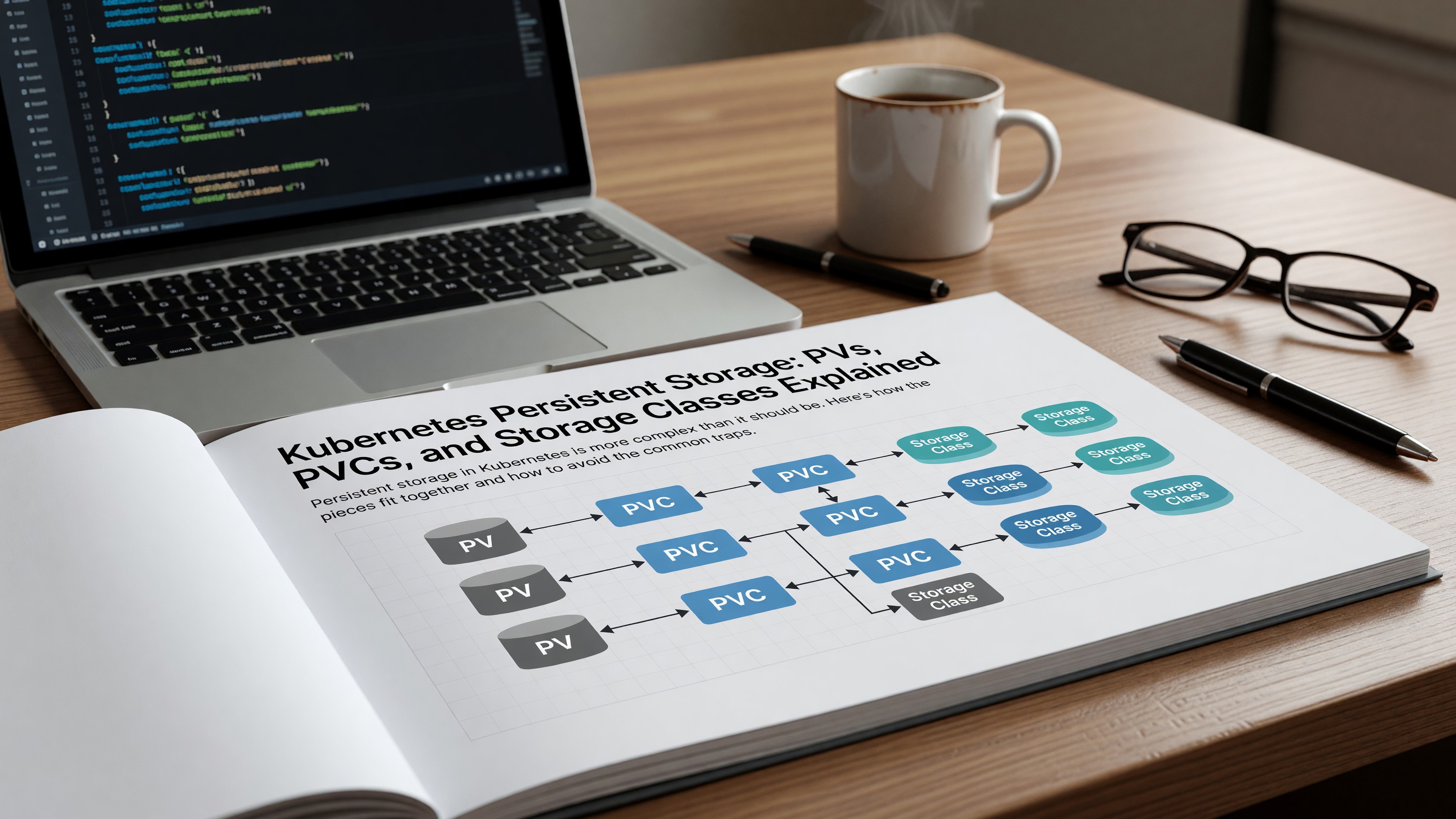
PersistentVolume (PV): a piece of storage in the cluster. Either statically provisioned (an admin creates it manually) or dynamically provisioned (created on demand from a StorageClass). The Kubernetes persistent volumes documentation covers the full API including access modes and reclaim policies.
PersistentVolumeClaim (PVC): a request for storage. Specifies size and access mode. Kubernetes binds the PVC to a matching PV.
StorageClass: a template for dynamic provisioning. Specifies the provisioner (the CSI driver), parameters, and reclaim policy. When a PVC references a StorageClass, Kubernetes creates a matching PV automatically.
Dynamic Provisioning Is the Default
In modern clusters, static PV provisioning is rare. The standard pattern is: define one or more StorageClasses, applications create PVCs referencing those classes, the CSI driver provisions the backing storage automatically.
On AWS, the EBS CSI driver provisions EBS volumes. On GCP, the PD CSI driver provisions persistent disks. On Azure, Azure Disk CSI. On-prem, Longhorn, Rook-Ceph, or Portworx are common.
Access Modes
ReadWriteOnce (RWO): one node can mount the volume read-write. Most cloud block storage (EBS, GCP PD) is RWO.
ReadWriteMany (RWX): many nodes can mount the volume read-write simultaneously. Requires file storage (EFS, Filestore, NFS) — block storage cannot do RWX.
ReadWriteOncePod: one specific pod (not just one node) can mount. Useful for strict isolation in multi-pod-per-node scenarios.
StatefulSets and Storage
StatefulSets handle ordered, stable storage for workloads like databases. Each pod gets its own PVC via a volumeClaimTemplate, the PVC name is stable across restarts, and the storage persists when the pod is rescheduled.
StatefulSets are the right answer for any stateful workload that needs predictable per-pod storage. Don’t use Deployments for stateful workloads — Deployments don’t give you stable storage.
Operational Gotchas
Resizing PVCs is supported but limited. Most providers allow growing but not shrinking. Plan capacity with headroom.
Volume binding mode matters. WaitForFirstConsumer delays binding until a pod that uses the PVC is scheduled — important for zonal storage in multi-AZ clusters, where binding eagerly can pin a volume to an AZ that doesn’t have the right capacity.
Snapshot and restore via VolumeSnapshot CRDs is now broadly supported and the standard pattern for backups.
Related Reading
- See our deeper guide at /containers/kubernetes-resource-limits-requests/.
Backup and Disaster Recovery
VolumeSnapshot CRDs (and the underlying CSI snapshot APIs) enable point-in-time snapshots of PVs. Coupled with Velero or Kasten, this provides backup capability for stateful Kubernetes workloads.
Application-consistent backups (database checkpoint plus volume snapshot) require coordination. Database-native backup tools (pg_basebackup, mysqldump) often work better than filesystem snapshots for transactional consistency. Use volume snapshots for crash-consistent backups and database-native tools for application-consistent ones.
Storage Performance Tuning
EBS gp3 volumes let you provision IOPS and throughput independently of size. The default ratio (3,000 IOPS per volume regardless of size) is fine for many workloads; latency-sensitive databases benefit from explicit provisioning.
Local NVMe (instance store) gives the lowest latency at the cost of being ephemeral. For workloads that can survive node loss (cached data, replicated databases like Cassandra), local NVMe is dramatically faster and cheaper than networked storage.
CSI Driver Considerations
The CSI driver is the bridge between Kubernetes and the underlying storage system. Driver quality varies: cloud-provider drivers (EBS, PD, Azure Disk) are well-maintained; some third-party drivers lag in Kubernetes version support.
When evaluating a CSI driver, check: supported Kubernetes versions, snapshot support (VolumeSnapshot CRD), expansion support, topology awareness for zone-aware scheduling.
For cloud workloads, default to the cloud’s CSI driver. For on-prem, Longhorn and Rook-Ceph are the most active open-source options. Portworx and Robin are commercial alternatives with stronger feature sets.
Stateful Workload Patterns
The conventional wisdom ‘don’t run stateful workloads on Kubernetes’ has shifted. Operators have matured to the point where running PostgreSQL, Cassandra, Kafka, Elasticsearch on Kubernetes is reasonable and increasingly common.
Operators automate the lifecycle: install, scale, upgrade, backup, restore. The CrunchyData PostgreSQL operator, Strimzi Kafka operator, and equivalent are production-quality.
The remaining concern is performance — Kubernetes networking and storage add overhead compared to bare-metal or direct-on-VM deployments. For workloads where that overhead matters (high-throughput databases), the trade-off may still favor non-Kubernetes deployment.
Container Image Provenance
Knowing where your container images come from is foundational. Pinning by digest (not by tag) gives immutability. Signing with Sigstore or Notary provides authenticity.
Build provenance — recording how the image was built, from what source, by which CI system — adds an additional layer. SLSA attestations capture this in a standardized format.
For organizations subject to executive orders or regulatory frameworks requiring software supply chain controls, provenance becomes mandatory rather than optional. Building the practice into normal CI early is cheaper than retrofitting under audit pressure.
Observability for Kubernetes Workloads
Standard observability for Kubernetes includes: pod metrics (cAdvisor exposed via kubelet), node metrics (node-exporter), API server and controller metrics, and application metrics via service annotations or ServiceMonitor.
The kube-prometheus-stack Helm chart bundles all of this with pre-built dashboards and alerts. Most clusters that want quick observability install it and customize from there. For deeper observability — distributed tracing across pods, application-level instrumentation — OpenTelemetry layers on top.
Logs follow a similar pattern. Fluent Bit or Vector as the agent, shipping to a centralized log store (Loki, Elasticsearch, CloudWatch). Per-pod metadata enrichment makes logs searchable by deployment, namespace, and pod labels.
Capacity Planning and Right-Sizing
Kubernetes capacity planning has two layers: cluster capacity (how many nodes, what types) and workload capacity (resource requests and limits). Both deserve attention.
For cluster capacity, observe peak utilization and plan headroom. 70-80% peak utilization is a healthy target — below that, you’re paying for idle capacity; above that, autoscaling lag and burst patterns can cause issues.
For workload capacity, the right-sizing tools mentioned earlier surface candidates. Schedule quarterly right-sizing reviews. Service growth and traffic pattern changes mean yesterday’s right-size is today’s waste or saturation.
Image Optimization for Production
Beyond best practices in the Dockerfile, image optimization at the repository level pays back across many services. Standardize on a small set of base images, share optimization patterns across teams, and centralize the security-update process for those base images.
Internal base images that wrap upstream images with organization-specific additions (corporate certs, common tools, security agents) reduce per-service complexity. Build them with the same discipline as application images — pinned dependencies, signed, scanned.
Image size impacts pull time, which impacts pod startup, which impacts autoscaling responsiveness and rolling deploy duration. The end-to-end effect is larger than the per-image savings suggest.
Operational Recommendations
For teams running production Kubernetes workloads, a small set of disciplines pays back across nearly every dimension of cluster operation. Define resource requests and limits for all production workloads. Establish a network policy posture that defaults to deny. Run regular cluster upgrades on a defined cadence. Monitor cluster health alongside application health.
These aren’t novel recommendations — they appear in every Kubernetes best-practices guide. They’re rarely fully implemented in production clusters that grew organically. The work of bringing existing clusters to this baseline is significant but worthwhile.
For new clusters, build these in from the start. Templates and operators can enforce the baseline; documentation captures the intent. Each new service onboarded gets the right defaults rather than requiring later remediation.
Operational maturity in Kubernetes is incremental. Pick the next improvement, implement it, move on. The compounded effect over time is what separates well-operated clusters from clusters that work but feel fragile.
Frequently Asked Questions
Why isn’t my PVC binding?
Common causes: no matching StorageClass, no available PV of the right size and access mode, or zone mismatch in multi-AZ clusters. Check kubectl describe pvc for events.
Can I move a PV between clusters?
Yes, with manual work. Detach the underlying storage, recreate the PV pointing to it in the new cluster, create a matching PVC. CSI snapshot replication helps for cross-region moves.
What about local SSD storage?
Local PVs (statically provisioned, tied to a specific node) work for workloads that can tolerate node loss. Don’t use them for irreplaceable data.
Should I use cloud-native storage or third-party?
Cloud-native (EBS, PD, Azure Disk) for most workloads. Third-party (Longhorn, Rook) when you need RWX without paying file storage costs, or when running on-prem.