Terraform Remote State Management: Backends, Locking, and Team Workflows
Why State Exists
Terraform state maps the resources in your configuration to the actual cloud resources they represent. Without it, Terraform has no way to know that the aws_instance.web you defined in code is the i-0abc123 instance running in production. The Terraform documentation on state explains the full model including backends, workspaces, and sensitive values.
Local state (the default terraform.tfstate file) works for solo experimentation and absolutely nothing else. The moment a second person needs to run apply, you need remote state with locking.
Backend Choices
For AWS: S3 for storage, DynamoDB for locking. The two together are the canonical setup, well-documented, and cheap. Versioning enabled on the S3 bucket gives you state-file recovery if something goes wrong. The S3 backend documentation covers all configuration options.
For GCP: Cloud Storage with built-in locking. Simpler than the AWS pattern because GCS handles locking natively.
For Azure: Azure Storage with built-in locking via blob leases. Equivalent to the GCP setup.
For teams that want a hosted experience: HCP Terraform, Spacelift, env0. They add policy enforcement, run history, and access controls on top of state.
State File Layout
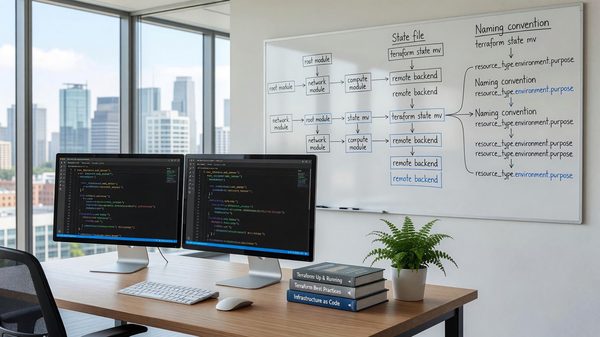
One state file per deployable unit. The unit might be ‘production environment,’ ‘staging environment,’ or ‘production payments service,’ depending on how you’ve structured your codebase.
Splitting too finely creates orchestration overhead — changing two related things now requires applying two different state files. Splitting too coarsely makes every apply slow and risky. The sweet spot is usually ‘one state per environment per team-owned service domain.’
Locking, Concurrency, and Workflows
State locking prevents two terraform apply runs from racing each other. Every remote backend supports it; never use one that doesn’t.
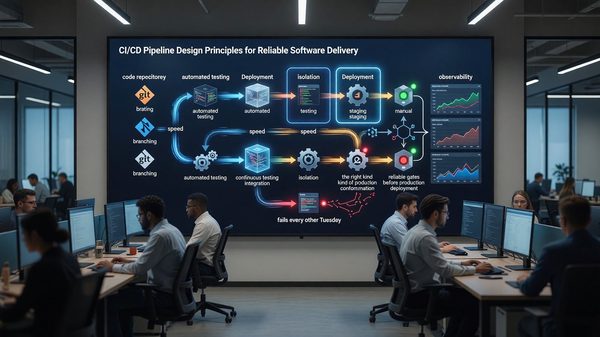
For team workflows, plan in CI and apply through a controlled path. Direct apply from engineer laptops works for small teams but breaks down once you have more than a few engineers — review trails get muddy and credentials sprawl.
Recovering From State Corruption
State files get corrupted. Versioning on the backend bucket is your insurance policy. Test recovery before you need it — restore an older state version into a non-production workspace and walk through what happens.
terraform state operations (mv, rm, import) edit state directly. They’re occasionally necessary, dangerous when used casually, and should always run from a clean working copy with state freshly pulled.
Related Reading
- See our deeper guide at /devops/infrastructure-as-code-best-practices/.
Drift Detection
State drift happens when the real-world infrastructure diverges from the state file — usually because someone made a manual change through the console. terraform plan against unchanged code reveals the drift.
Automate drift detection: run terraform plan against production on a nightly schedule, surface any non-empty diff as an alert. Drift isn’t always a problem (some emergency changes are legitimate), but it’s always worth knowing about. The first time someone fixes a production issue manually and forgets to update Terraform, drift detection saves you.
State Migration and Refactoring
Refactoring Terraform code often requires moving resources between modules or between state files. terraform state mv handles the simple cases; terraform import handles bringing existing resources into a new state.
For larger refactors, the moved {} block (Terraform 1.1+) declares state moves declaratively, which makes them reviewable and reproducible. Avoid hand-running terraform state operations on production state — they’re easy to get wrong and the recovery is painful.
Concurrency and Team Workflows
State locking prevents two apply runs from racing. It doesn’t prevent multiple engineers from queuing applies in ways that step on each other.
The pattern that works at team scale: applies go through CI, not engineer laptops. Each change is a PR; merge triggers apply; conflicts surface at PR review. Engineers can plan locally for review purposes but don’t apply directly.
Terraform Cloud, Spacelift, Env0, and similar tools provide this workflow out of the box. For teams without those tools, GitHub Actions or GitLab CI with appropriate guardrails works.
Workspace Strategies
Terraform workspaces (local backend) and Terraform Cloud workspaces (remote backend) have similar names but different semantics. Local workspaces are essentially state file copies in the same backend; remote workspaces are more like separate projects.
Both can work for environment separation, with caveats. Local workspaces share variable values across all workspaces by default — surprises arise when production accidentally inherits dev settings. Per-workspace .tfvars files mitigate this.
For most teams, separate root modules per environment (with shared module definitions) is clearer than workspace-based separation. The duplication is small; the explicit-ness is worth it.
Hybrid and Multi-Cloud Considerations
Few large organizations are purely single-cloud. Acquisitions, regulatory requirements, and specific service preferences all push toward multi-cloud reality. The challenge is operating consistently across the resulting environment.
Tools that help: Crossplane for multi-cloud infrastructure provisioning, Terraform for multi-provider IaC, Kubernetes as a consistent application platform across clouds. Each abstracts away some cloud-specific details at the cost of giving up some cloud-specific capabilities.
The pragmatic path is usually ‘primary cloud plus secondary’ — most workloads on one cloud with specific workloads or backup capacity on another. Pure multi-cloud parity is rarely worth the operational cost.
Tagging and Resource Governance
At any meaningful scale, cloud resource governance requires consistent tagging. Tags by team, environment, project, cost center, and compliance category enable cost attribution, security scoping, and operational filtering.
Enforcement is the hard part. IAM policies can deny resource creation without required tags. Cloud Custodian and similar policy engines can scan for non-compliant resources and remediate.
Without enforcement, tags drift. Engineers create resources for quick experiments and forget to tag. Within a quarter, untagged resources outnumber tagged ones. Build the enforcement early; retrofit is painful.
Documentation and Knowledge Management
Cloud infrastructure changes constantly. Documentation that captures architecture decisions, runbooks for common operations, and explanations of non-obvious choices preserves institutional knowledge through team turnover.
Architecture Decision Records (ADRs) are a lightweight pattern: a short document per significant decision capturing context, options considered, decision, and consequences. ADRs accumulate into a chronicle of why the architecture looks the way it does.
Living documentation beats one-time writeups. Tie documentation to code where possible — README files in repos, comments in Terraform, generated diagrams from infrastructure tools. Documentation that lives near the code it documents stays current.
Compliance and Audit Considerations
Cloud workloads often fall under compliance frameworks: SOC 2, ISO 27001, HIPAA, PCI DSS, FedRAMP. Each has specific control requirements affecting how you architect, configure, and operate.
Common cross-framework requirements: encryption at rest and in transit, access logging and review, incident response procedures, change management, vulnerability management. Building these in from the start is dramatically cheaper than retrofitting under audit pressure.
Tools that help: AWS Config and Audit Manager, GCP Security Command Center, Azure Policy. Each provides continuous compliance monitoring against defined rules. The configuration is upfront work; ongoing compliance becomes monitoring rather than periodic discovery.
Looking Ahead
Cloud infrastructure continues to evolve rapidly. The shifts most relevant to platform teams today: continued moves toward serverless and managed services that reduce operational overhead, growing importance of cost optimization as cloud spend matures into a major budget line, and the increasing role of compliance and data sovereignty in architecture decisions.
Teams that invest in transferable skills — Linux fundamentals, networking, distributed systems, observability — adapt to specific cloud changes more easily than teams that invest narrowly in vendor-specific certifications. The vendor-specific knowledge matters, but it’s a layer on top of broader engineering capability.
The cost of building infrastructure has dropped dramatically in two decades; the cost of operating it well has not. The teams that thrive long-term combine cloud-native tooling with the operational discipline that makes any infrastructure reliable.
Practical takeaway: don’t chase every new cloud service. Identify the gaps in your current architecture, evaluate options carefully against your requirements, and move deliberately. The pace of cloud announcements far exceeds the pace at which most organizations should adopt new technologies.
Frequently Asked Questions
Should I use Terraform Cloud or roll my own backend?
Roll your own if you have platform engineering capacity. Use a hosted backend if you don’t, or if policy and audit features earn their cost.
How do I migrate from local state to remote?
terraform init with the new backend configured prompts you to migrate. Back up the local state file before doing this.
What about state encryption?
S3 and equivalent backends support encryption at rest. Enable it. State files contain sensitive values (secrets, IPs, ARNs) and shouldn’t be readable by anyone without need.
How do I share state between modules?
terraform_remote_state data source reads outputs from another state file. Use it sparingly — it creates cross-state-file coupling that complicates refactoring.