Kubernetes Autoscaling: HPA, VPA, and KEDA Compared
Horizontal Pod Autoscaler
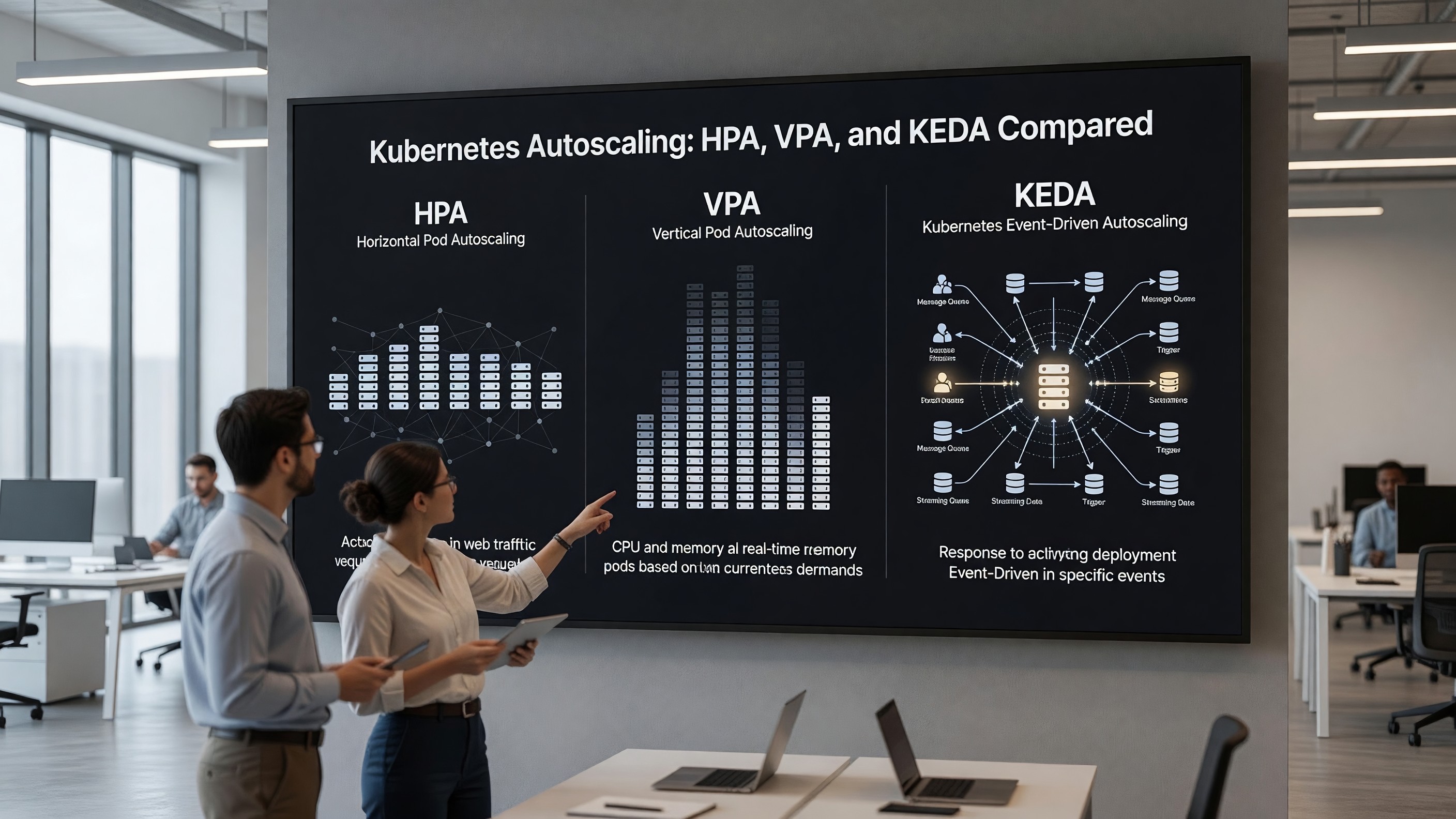
HPA scales the number of pod replicas based on metrics. Default metrics are CPU and memory; with custom metrics (via metrics-server or Prometheus adapter), it scales on anything. The Kubernetes HPA documentation covers the full configuration options.
HPA is the right answer for stateless services with variable load. Web tiers, API services, anything that scales out cleanly. Configure target utilization (often 60-70% CPU), min and max replicas, and HPA handles the rest.
Vertical Pod Autoscaler
VPA changes pod resource requests and limits based on observed usage. Modes: Off (recommendations only, no changes), Auto (changes applied via pod restart), Initial (set at creation, never changed).
VPA is the right answer for workloads that don’t scale horizontally well — singletons, stateful services with fixed replica counts, batch jobs. It’s also the right answer for getting recommendations on right-sizing, even if you don’t enable automatic updates.
VPA and HPA on CPU don’t combine. Use one or the other on the same resource.
KEDA: Event-Driven Autoscaling
KEDA scales workloads based on event sources — message queue depth, database connection counts, scheduled times, external HTTP request rates. Where HPA scales on what’s happening in the pod, KEDA scales on what’s about to happen outside it.
KEDA is the right answer for queue workers, batch processors, and workloads that need to scale based on external signals. Common patterns: scale a worker pool based on Kafka lag, scale a job runner based on queue depth, scale a service to zero overnight. The KEDA documentation lists all supported scalers and their configuration.
Combining Them
KEDA actually creates HPA resources under the hood — it’s a superset of HPA, not a replacement. You can use KEDA’s external triggers and HPA’s resource-based triggers on the same workload.
VPA on the pod sizing, HPA or KEDA on the replica count is a common combination. The two operate independently.
Cluster-Level Scaling
Autoscaling pods is half the picture. The other half is autoscaling nodes — when pods can’t be scheduled because there’s no node capacity, the cluster needs more nodes.
Cluster Autoscaler (the original) and Karpenter (newer, AWS-native, faster) handle this. Karpenter has largely displaced Cluster Autoscaler for new clusters because it picks node types intelligently and provisions faster. The Karpenter documentation explains the NodePool and EC2NodeClass configuration model.
Related Reading
- See our deeper guide at /containers/kubernetes-resource-limits-requests/.
Scale-to-Zero Patterns
KEDA’s scale-to-zero capability is increasingly important for cost optimization. Workloads with no current work scale down to zero pods; arrival of new work scales them back up.
The cold-start tradeoff matters. Pods that take 30 seconds to be ready aren’t good candidates for scale-to-zero on user-facing workloads. Queue workers and batch processors, where startup latency is acceptable, are ideal.
Predictive and Scheduled Scaling
For workloads with predictable patterns (daily peaks, weekly cycles), predictive scaling outperforms reactive scaling. KEDA supports cron-based scaling; AWS has predictive scaling for ASGs that uses ML to forecast load.
Predictive scaling is most valuable when reactive scaling would cause latency spikes during traffic ramps. For workloads where reactive scaling keeps up with traffic growth, the added complexity isn’t worth it.
Cluster Autoscaler vs Karpenter
Cluster Autoscaler manages node groups (ASGs in AWS, MIGs in GCP). It works with pre-defined instance types and respects existing infrastructure patterns. Reliable, mature, broadly compatible.
Karpenter is AWS-native and provisions nodes on demand based on actual pod requirements. It picks the cheapest instance type that fits, can use spot capacity intelligently, and provisions much faster than Cluster Autoscaler.
For new EKS clusters, Karpenter is generally the better choice. For multi-cloud or existing setups, Cluster Autoscaler remains relevant. Both serve the same fundamental purpose.
Autoscaling Failure Modes
Common autoscaling failures: HPA doesn’t scale because metrics aren’t reporting (broken metrics server, wrong metric names, missing service annotations). Investigation: kubectl describe hpa shows what HPA sees.
VPA causes unexpected pod restarts in Auto mode. Investigation: VPA events show when updates were applied. Mitigation: use Recommendation mode and apply changes manually.
Cluster Autoscaler doesn’t add nodes despite pending pods. Investigation: CA logs show scheduling decisions. Common causes: no matching instance type for pod requirements, max node count reached, IAM permissions missing.
Hybrid and Multi-Cloud Considerations
Few large organizations are purely single-cloud. Acquisitions, regulatory requirements, and specific service preferences all push toward multi-cloud reality. The challenge is operating consistently across the resulting environment.
Tools that help: Crossplane for multi-cloud infrastructure provisioning, Terraform for multi-provider IaC, Kubernetes as a consistent application platform across clouds. Each abstracts away some cloud-specific details at the cost of giving up some cloud-specific capabilities.
The pragmatic path is usually ‘primary cloud plus secondary’ — most workloads on one cloud with specific workloads or backup capacity on another. Pure multi-cloud parity is rarely worth the operational cost.
Tagging and Resource Governance
At any meaningful scale, cloud resource governance requires consistent tagging. Tags by team, environment, project, cost center, and compliance category enable cost attribution, security scoping, and operational filtering.
Enforcement is the hard part. IAM policies can deny resource creation without required tags. Cloud Custodian and similar policy engines can scan for non-compliant resources and remediate.
Without enforcement, tags drift. Engineers create resources for quick experiments and forget to tag. Within a quarter, untagged resources outnumber tagged ones. Build the enforcement early; retrofit is painful.
Documentation and Knowledge Management
Cloud infrastructure changes constantly. Documentation that captures architecture decisions, runbooks for common operations, and explanations of non-obvious choices preserves institutional knowledge through team turnover.
Architecture Decision Records (ADRs) are a lightweight pattern: a short document per significant decision capturing context, options considered, decision, and consequences. ADRs accumulate into a chronicle of why the architecture looks the way it does.
Living documentation beats one-time writeups. Tie documentation to code where possible — README files in repos, comments in Terraform, generated diagrams from infrastructure tools. Documentation that lives near the code it documents stays current.
Compliance and Audit Considerations
Cloud workloads often fall under compliance frameworks: SOC 2, ISO 27001, HIPAA, PCI DSS, FedRAMP. Each has specific control requirements affecting how you architect, configure, and operate.
Common cross-framework requirements: encryption at rest and in transit, access logging and review, incident response procedures, change management, vulnerability management. Building these in from the start is dramatically cheaper than retrofitting under audit pressure.
Tools that help: AWS Config and Audit Manager, GCP Security Command Center, Azure Policy. Each provides continuous compliance monitoring against defined rules. The configuration is upfront work; ongoing compliance becomes monitoring rather than periodic discovery.
Looking Ahead
Cloud infrastructure continues to evolve rapidly. The shifts most relevant to platform teams today: continued moves toward serverless and managed services that reduce operational overhead, growing importance of cost optimization as cloud spend matures into a major budget line, and the increasing role of compliance and data sovereignty in architecture decisions.
Teams that invest in transferable skills — Linux fundamentals, networking, distributed systems, observability — adapt to specific cloud changes more easily than teams that invest narrowly in vendor-specific certifications. The vendor-specific knowledge matters, but it’s a layer on top of broader engineering capability.
The cost of building infrastructure has dropped dramatically in two decades; the cost of operating it well has not. The teams that thrive long-term combine cloud-native tooling with the operational discipline that makes any infrastructure reliable.
Practical takeaway: don’t chase every new cloud service. Identify the gaps in your current architecture, evaluate options carefully against your requirements, and move deliberately. The pace of cloud announcements far exceeds the pace at which most organizations should adopt new technologies.
Key Takeaways
The most important point throughout this guide: practical engineering decisions depend on specific context. Best-practice recommendations are starting points, not destinations. The right answer for your team depends on your scale, your existing tooling investment, your team’s experience, and the specific constraints you face.
Three principles worth carrying forward regardless of specific tool choices. First, measure what you change. Engineering improvements without measurement become folklore — claims without evidence. Track the metrics that show whether interventions are working.
Second, default to simpler architectures and tools. Complexity has cost. Each additional moving part is something to monitor, debug, upgrade, and eventually replace. Choose the simplest thing that meets your actual requirements, not the most sophisticated thing you could build.
Third, invest continuously in the boring foundations. Reliable CI, good observability, sensible access controls, and clear documentation pay back across every project. Skipping these for short-term feature velocity accumulates debt that eventually consumes the velocity it was supposed to enable.
The teams that operate well over the long term are usually not the teams with the most exotic tooling. They’re the teams with disciplined fundamentals, deliberate decision-making, and continuous incremental improvement.
Frequently Asked Questions
HPA on CPU or custom metrics?
Start with CPU. Move to custom metrics (request rate, queue depth) when CPU doesn’t reflect actual load accurately.
Should I run VPA in Auto mode?
Rarely. Recommendation mode plus manual updates is safer. Auto mode causes pod restarts that surprise people.
When do I need KEDA?
Queue workers, event processors, scale-to-zero workloads, and anything driven by an external signal that isn’t a Kubernetes metric.
Karpenter or Cluster Autoscaler?
Karpenter for new AWS clusters. Cluster Autoscaler for non-AWS or established clusters with working configurations.