Building Effective Runbooks for Incident Management
What a Runbook Is For
A runbook documents how to handle a specific class of operational situation. The audience is the on-call engineer at the worst possible moment — partial knowledge, time pressure, possibly half-awake. Google’s SRE workbook covers runbook construction as part of its on-call chapter.
A useful runbook gets the engineer from ‘alert fired’ to ‘incident resolved’ as quickly as possible. Documentation that requires reading three other docs to understand isn’t a runbook; it’s a wiki page.
Structure That Works Under Stress
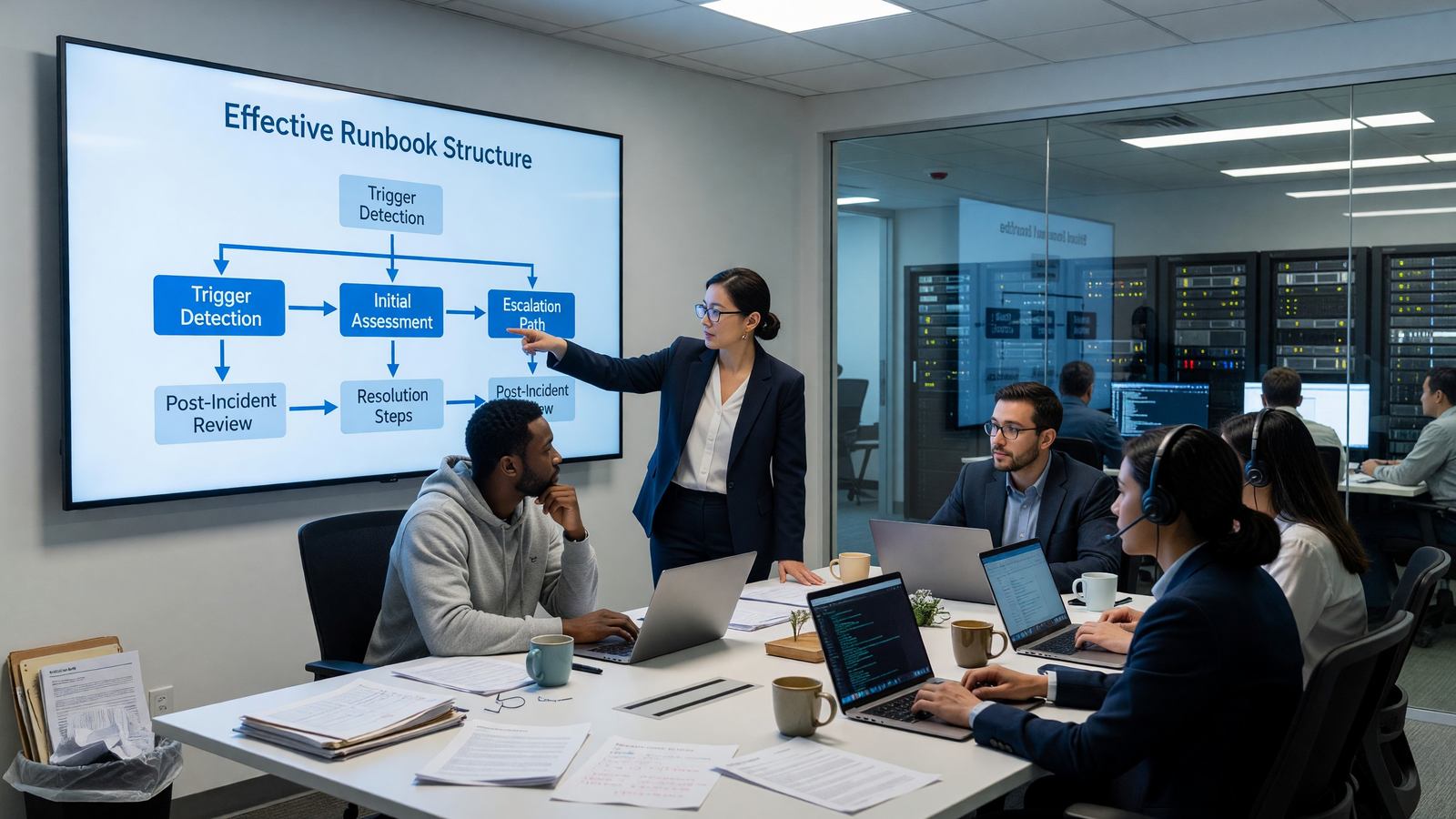
The structure matters because under stress, scanning is the dominant reading mode. The standard runbook structure: trigger (which alert or symptom), severity, immediate actions (do these first, in order), diagnosis (commands and dashboards to check), remediation (steps to fix), and escalation (when and to whom).
Put the most common remediation first. If 80% of cases of this alert are resolved by restarting a specific deployment, the first step is ‘restart the deployment.’ Save the rare cases for later in the document.
Commands, Not Concepts
A runbook that says ‘check the database connection pool health’ is theater. A runbook that says ‘kubectl exec -n prod payments-postgres – psql -c “SELECT count(*) FROM pg_stat_activity”’ is useful.
Spell out the exact commands. Include enough context that the engineer can adapt if the situation is slightly different — but optimize for the case where they can copy-paste.
Discovery and Linking
Runbooks that nobody can find don’t help. Link directly from alerts: every Prometheus alert includes a runbook URL annotation. Every PagerDuty alert links to a specific runbook section.
Centralize runbook storage. A wiki, a git repo, or a runbook-specific tool — the location matters less than consistency. Scattered runbooks across personal docs and team wikis effectively don’t exist.
Maintenance
Runbooks decay. Services change, commands break, the underlying system gets refactored. Stale runbooks during an incident are worse than no runbook — they sap confidence and waste time.
Two practices that keep runbooks current: every incident updates the relevant runbook with anything that was missing or wrong, and runbooks get reviewed quarterly with a ‘does this still work’ check.
Related Reading
- See our deeper guide at /devops/sre-on-call-best-practices/.
Automation as Runbook
The best runbook step is no runbook step — automation that resolves the situation before a human needs to be involved. Self-healing systems (pods that restart on liveness probe failure, autoscaling that absorbs traffic spikes) eliminate large categories of pages entirely.
Where full automation isn’t safe, semi-automation helps. Runbook automation tools (StackStorm, Rundeck, AWS Systems Manager Runbooks) let you turn ‘run these 10 commands’ into ‘click this button.’ Reduces stress and reduces typos under pressure.
Runbook Discoverability
A runbook nobody can find isn’t helpful. Standard discoverability patterns: link every alert to its runbook directly (Prometheus annotations, PagerDuty alert metadata), maintain an index, and search.
Search across runbooks matters more than category hierarchies. The on-call engineer at 3 AM searching ‘database connection pool exhaustion’ should find the right runbook regardless of which subdirectory it lives in. Backstage TechDocs and similar tools handle this well.
Runbook Templates
Consistent runbook structure helps under stress. A template covering: alert and trigger, current severity assessment, immediate stabilization steps, diagnosis commands, common remediations, escalation criteria, and post-incident steps.
Templates reduce cognitive load during incidents — the engineer knows where to look for each kind of information. They also make runbooks easier to write — authors fill in template sections rather than starting from a blank page.
Tools like Notion, Confluence with templates, or git-based docs with consistent file structure all work. The template matters more than the platform.
Drilling and Familiarity
The first time someone reads a runbook should not be during the incident the runbook is for. New on-call engineers should walk through runbooks for their services as part of onboarding. Veteran engineers should refresh on rarely-used runbooks periodically.
Drilling can be structured: a senior on-call walks a junior through a runbook scenario before they go on-call alone. Or unstructured: each engineer is expected to read through runbooks during quiet shifts.
The investment pays back the first time a runbook gets used cold. Familiar runbooks resolve incidents faster, with lower stress, and with less likelihood of compounding mistakes.
Team Culture and Practices
The tooling matters; the culture matters more. Teams with strong DevOps practices and middling tools usually outperform teams with state-of-the-art tools and weak culture.
Core practices: shared ownership of production reliability, blameless incident response, regular retrospectives, deliberate investment in developer experience. None require specific tools; all require sustained leadership attention.
Maturity grows gradually. A team that adopts blameless postmortems but still has weekly all-hands-on-deck deployments hasn’t internalized the practice. Watch the behaviors during stress, not the documented procedures.
Continuous Improvement Cadence
The DevOps movement’s emphasis on continuous improvement isn’t a slogan; it’s a practical requirement. Systems decay, requirements change, and tools age. Maintaining a healthy engineering organization requires deliberate, ongoing investment.
Quarterly retrospectives at the team and organization level surface what’s working and what isn’t. The output is concrete commitments to change — not abstract aspirations.
Track changes from retrospectives. Teams that don’t follow through on retrospective actions eventually stop running retrospectives. Demonstrated follow-through builds the trust that makes future retrospectives valuable.
Hiring and Team Building
DevOps and platform engineering hiring is competitive. The job market pays well; experienced engineers are in demand. Building teams requires investment in both compensation and culture.
What attracts strong candidates: meaningful work on systems they can directly impact, clear ownership boundaries, modern tooling, sustainable on-call practices, growth opportunities. What drives them away: legacy systems with no migration plan, unclear ownership, oppressive on-call, no investment in their growth.
Internal mobility matters too. Engineers in adjacent disciplines (backend development, networking, security) often become strong platform engineers with appropriate support. Building hiring pipelines that include internal transfers expands the talent pool.
Vendor Selection and Tool Procurement
DevOps organizations buy many tools. Each tool selection is a multi-year commitment with implicit ongoing costs (licenses, training, integration). The selection process deserves more attention than it usually gets.
Standard evaluation criteria: feature fit, total cost of ownership over three years, exit cost (how hard is it to migrate away later), vendor stability, and integration with existing tooling.
Avoid the trap of evaluating only on features in initial demos. The features matter; so do the rough edges that surface in week three of actual use. Trial periods and reference customers in similar environments surface what marketing doesn’t.
Practical Next Steps
For teams beginning their DevOps or platform engineering journey, the temptation is to adopt every recommended practice at once. The teams that succeed tend to focus on one or two specific improvements at a time, build the habit, and then expand scope.
Concrete next steps worth considering: instrument deployment frequency and lead time, even informally. Run a blameless retrospective after the next incident. Document the platform decisions that have been made implicitly. Survey the team about pain points and tackle the top two.
Each of these is a small investment with compounding returns. The team that runs retrospectives quarterly accumulates institutional learning that the team without them doesn’t. The team that tracks DORA metrics over a year sees trends they would otherwise miss.
The work doesn’t end. Engineering organizations are living systems that decay without active maintenance. The practices described throughout this article are tools for sustained improvement, not destinations to reach and stop.
Key Takeaways
The most important point throughout this guide: practical engineering decisions depend on specific context. Best-practice recommendations are starting points, not destinations. The right answer for your team depends on your scale, your existing tooling investment, your team’s experience, and the specific constraints you face.
Three principles worth carrying forward regardless of specific tool choices. First, measure what you change. Engineering improvements without measurement become folklore — claims without evidence. Track the metrics that show whether interventions are working.
Second, default to simpler architectures and tools. Complexity has cost. Each additional moving part is something to monitor, debug, upgrade, and eventually replace. Choose the simplest thing that meets your actual requirements, not the most sophisticated thing you could build.
Third, invest continuously in the boring foundations. Reliable CI, good observability, sensible access controls, and clear documentation pay back across every project. Skipping these for short-term feature velocity accumulates debt that eventually consumes the velocity it was supposed to enable.
The teams that operate well over the long term are usually not the teams with the most exotic tooling. They’re the teams with disciplined fundamentals, deliberate decision-making, and continuous incremental improvement.
Frequently Asked Questions
How long should a runbook be?
As long as it needs to be. Short for simple issues, longer for complex ones. Optimize for time-to-resolution, not page count.
Should I have a runbook for every alert?
Yes, if the alert is worth paging on. Alerts without runbooks are alerts you haven’t thought about yet.
How do I prevent runbook decay?
Update during incidents, review quarterly, and remove runbooks for systems that no longer exist.
Are AI-generated runbooks useful?
As a starting draft, sometimes. As production runbooks without human review, no.