Git Workflow Strategies: Trunk-Based Development vs Gitflow
Gitflow: The Branch-Heavy Era
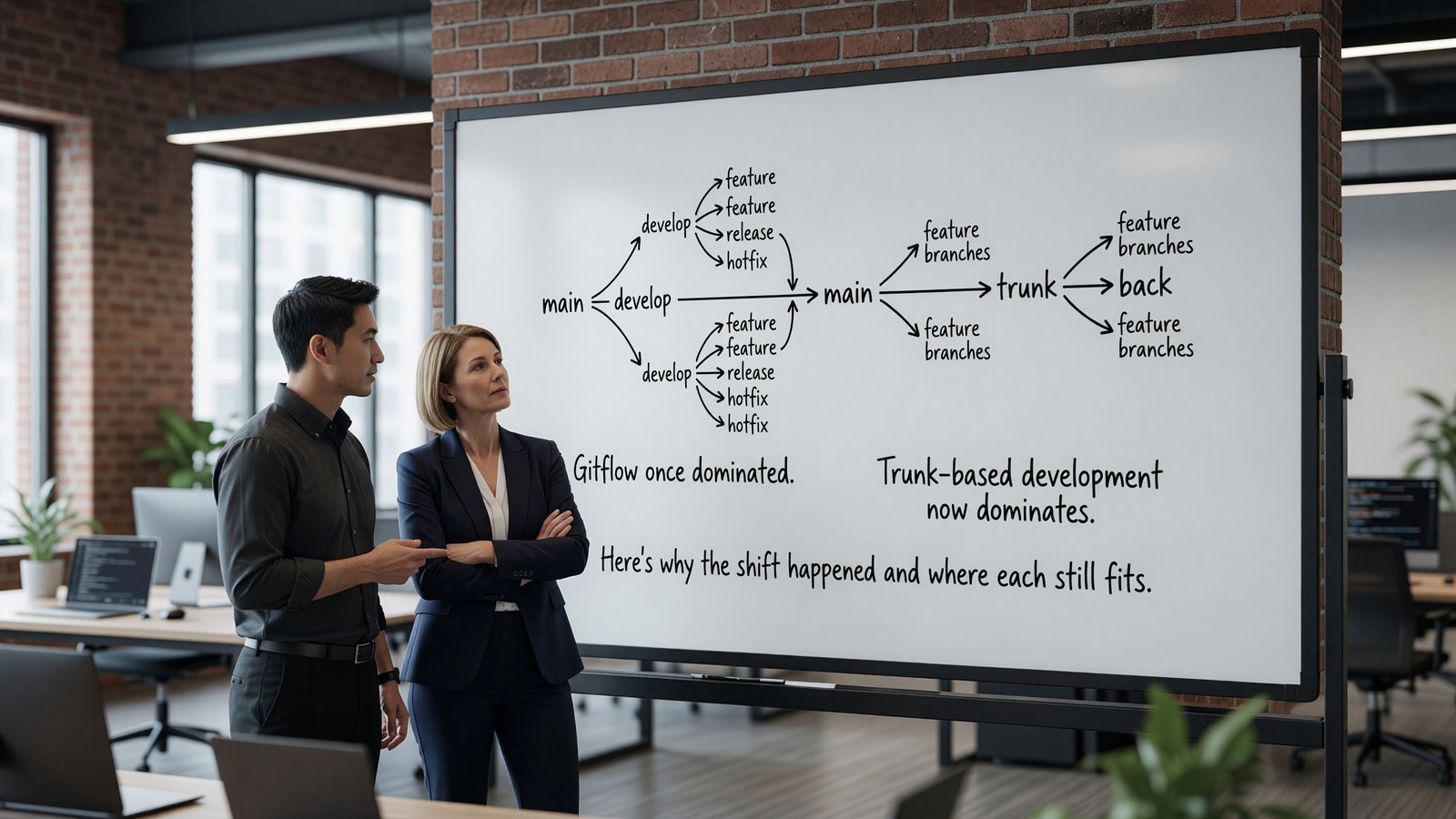
Gitflow, introduced by Vincent Driessen in 2010, structured work around multiple long-lived branches: master (released code), develop (integration), feature branches, release branches, and hotfix branches. The model was a good fit for the release cadences of the time — quarterly or monthly releases with hardening phases.
It also encoded a lot of process that doesn’t make sense in a continuous delivery world. Release branches imply a stabilization period. Long-lived develop branches diverge from master in ways that make merging painful. The model rewards big batches.
Trunk-Based Development
Trunk-based development keeps a single long-lived branch (main or trunk). Work happens on short-lived feature branches (or directly on trunk for sufficiently small changes), with frequent merges back. Releases happen from trunk, often via release tags rather than release branches.
The pattern fits continuous delivery. Small, frequent merges reduce merge conflict pain. Feature flags decouple unfinished work from release. Trunk stays consistently shippable.
GitHub Flow: The Common Middle Ground
Most modern teams use a variant of GitHub Flow, which sits between Gitflow and pure trunk-based development. Feature branches are short-lived; pull requests gate merges to main; main is always shippable.
The difference from pure trunk-based development is mostly the PR overhead. Trunk-based purists argue for direct commits to trunk with pre-commit review. GitHub Flow’s PR-gated model is more practical for most teams.
When Gitflow Still Makes Sense
Embedded software, regulated industries, and products with formal release versions still benefit from explicit release branches. If you ship to customers who pin specific versions and need security patches against old versions, you need branches that match those versions.
For most SaaS and web products, Gitflow is over-engineered.
Implementation Details That Matter
Short-lived branches matter more than the branching strategy name. Branches that live longer than a few days accumulate merge conflict risk that destroys the benefits.
Branch protection rules, required reviews, status checks, and squash-merge defaults make trunk-based development workable in practice. Without them, the model degrades into chaos.
Monorepo vs Polyrepo Considerations
The branching strategy interacts with repository structure. Monorepos with many teams need tooling to limit which paths each team can modify (CODEOWNERS files, branch protection on specific paths). Polyrepos avoid this but trade for cross-repo coordination overhead.
Neither is universally right. Monorepos work well for organizations with strong shared tooling investment; polyrepos work well for organizations with strong team autonomy. The branching strategy adapts to either.
Commit Hygiene
Beyond branching strategy, commit hygiene matters. The Conventional Commits specification (feat:, fix:, docs:, etc.) supports automated changelog generation and semantic version bumping. Commit messages with context (why, not just what) help reviewers and future-you.
Squashing commits at merge keeps trunk history clean. Some teams prefer preserving the development history for audit purposes; both work. Pick a convention and apply it consistently.
Code Review Practices
The branching strategy interacts with code review intensity. Trunk-based development with PR gating requires fast review — long PR queues block the workflow. Gitflow with longer-lived branches can tolerate slower review at the cost of bigger merge conflicts.
PR size matters more than branching strategy. Small PRs (under 400 lines changed) get reviewed quickly and thoroughly; large PRs get rubber-stamped or ignored. Splitting work into reviewable chunks is a meta-skill that benefits any workflow.
Tools that surface this: code review metrics in GitHub Insights, GitLab Value Stream Analytics, or third-party tools like LinearB. Track PR cycle time and use the data to identify bottlenecks.
Migration From Gitflow to Trunk-Based
Teams migrating from Gitflow to trunk-based development follow a predictable pattern. First eliminate develop branches (merge straight to main). Then shorten feature branch lifetime (target under 3 days). Then add feature flags for in-progress work. The trunkbaseddevelopment.com reference site documents the full model with supporting patterns. Then increase deployment frequency to match.
Each step is incremental. Trying to make the whole change at once usually fails — too much new process at once overwhelms teams.
Cultural changes accompany the workflow changes. Engineers used to long-lived feature branches need to develop comfort with merging incomplete work behind flags. The technical change is straightforward; the cultural change takes time.
Productivity and Developer Experience
Developer experience research consistently finds that small friction adds up. The minute spent every time you switch tasks because the tool is slow, the moment of confusion every time a command doesn’t work as expected — these compound across days and weeks.
The investment in good tooling pays back. Engineers with well-tuned environments routinely outperform engineers in default environments by meaningful margins, especially on tasks that involve switching context or doing repetitive actions.
Standardize where it helps (shared dotfiles, dev container baselines, agreed-on tool choices) and let individuals customize where it doesn’t (editor preferences, prompt designs, keyboard layouts). The right balance varies by team.
Adoption and Onboarding
New tools succeed or fail in onboarding. A tool with great long-term value but a steep initial curve gets abandoned before the value materializes. A tool with limited value but smooth onboarding becomes the default forever.
Successful tool adoption usually includes: an internal champion who’s already proficient, paired learning sessions for newcomers, and explicit time set aside for the learning curve.
Forcing adoption without these supports doesn’t work. Engineers who feel forced revert to familiar tools as soon as oversight ends. Voluntary adoption with good support generates lasting change.
Tool Evaluation Process
New developer tools arrive constantly. Without a process for evaluation, teams either adopt every shiny new thing or rigidly reject change. Both extremes hurt.
A working evaluation process: small pilot with one or two engineers, sharing of findings, broader trial if the pilot succeeds, decision point on team-wide adoption. The full cycle takes weeks to months depending on tool scope.
Document the why behind tool choices. The tools change; the reasoning often persists. Future evaluators benefit from understanding what was tried and what didn’t work.
Personal Setup and Sharing
Each engineer’s personal setup evolves over years. The best setups combine team-standard tools with personal customizations that match individual working styles.
Sharing setups within the team accelerates everyone. A monthly ‘show your setup’ session, internal blog posts on tooling discoveries, or pair-programming where engineers see each other’s environments all transfer tacit knowledge.
Dotfile repositories with documentation make this concrete. Teams that share their environments openly find that productivity gains spread organically across the group.
Building Your Setup Over Time
Developer tooling evolves continuously. The setup that worked two years ago has gaps now; the setup that’s perfect today will feel dated in two years. Treating personal tooling as an ongoing investment, not a one-time setup, yields the best long-term results.
Practical rhythm: review and update tooling every six months. Try one new tool each quarter. Document what works for your own future reference. The accumulated experimentation builds a setup that fits your actual workflows.
The community matters here too. Tool authors and power users share insights via blog posts, conference talks, and social media. Following a few voices in your tooling space surfaces ideas you’d otherwise miss.
Most importantly, optimize for your actual work, not for theoretical best practices. The tools that other engineers love may not fit your style; that’s fine. The goal is making your daily work flow better, not adopting trends.
The compounded effect of small tooling improvements over a career is significant. The investment now pays back for years to come.
Key Takeaways
The most important point throughout this guide: practical engineering decisions depend on specific context. Best-practice recommendations are starting points, not destinations. The right answer for your team depends on your scale, your existing tooling investment, your team’s experience, and the specific constraints you face.
Three principles worth carrying forward regardless of specific tool choices. First, measure what you change. Engineering improvements without measurement become folklore — claims without evidence. Track the metrics that show whether interventions are working.
Second, default to simpler architectures and tools. Complexity has cost. Each additional moving part is something to monitor, debug, upgrade, and eventually replace. Choose the simplest thing that meets your actual requirements, not the most sophisticated thing you could build.
Third, invest continuously in the boring foundations. Reliable CI, good observability, sensible access controls, and clear documentation pay back across every project. Skipping these for short-term feature velocity accumulates debt that eventually consumes the velocity it was supposed to enable.
The teams that operate well over the long term are usually not the teams with the most exotic tooling. They’re the teams with disciplined fundamentals, deliberate decision-making, and continuous incremental improvement.
Frequently Asked Questions
Should every team switch to trunk-based development?
Most SaaS teams, yes. Regulated industries and embedded shipping with version branches may still benefit from Gitflow.
What about long-lived feature branches?
Avoid. Branches over a week old start causing merge problems. Feature flags for incomplete work, not long branches.
Squash, rebase, or merge?
Squash for feature branches keeps trunk history clean. Rebase before merge to avoid merge commits. Pure merge commits are fine if you don’t mind the messier history.
How does this interact with CI/CD?
Trunk-based pairs naturally with CI/CD. Every commit to trunk runs the full pipeline; passing builds are deployable. Gitflow’s release branches add friction to this loop.